Aegis
See what your apps can reach
Aegis checks the apps on your Android phone, without sending them anywhere. It shows which ones hold sensitive or special access, and whether any match published stalkerware indicators.
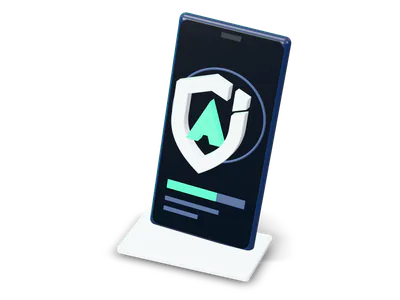
13
Kinds of sensitive and special access it reviews, from the camera to device administrators.
What it checks
Review
6 of 6
- Installed appsEvery app Android makes visible to Aegis in your profile
- Sensitive accessCamera, microphone, location, contacts, messages and more
- Special accessAccessibility, notification access, device admin
- Stalkerware indicatorsÉchap package names and signing certificates
- Device checksScreen lock, security update age, USB debugging
- Changes since last scanNew apps, new grants, signer changes
Review ready
On the device
Your installed apps are checked, and the scan information processed, on the phone itself.
Sensitive access
Which apps can use camera, microphone, location, background location, contacts, messages, phone and call logs, photos and files, calendar or nearby devices, plus accessibility services, notification access and device administrators. Granted access is kept apart from access that is only requested.
Stalkerware indicators
Installed apps are checked against Échap’s published stalkerware indicators: package names and signing certificates. Deep scans (Aegis Plus) also compare APK SHA-256 fingerprints with published sample hashes.
Evidence for every finding
Every finding shows its evidence and a next step. An indicator is a reason to investigate, not proof of spying.
Changes since last scan
New or missing apps, permission grants and revocations, special access, version, enabled-state and signing-certificate changes between your last two scans.
APK inspection
Inspect an APK (up to 256 MB) without installing or running it. APKs you pick can go into a private quarantine: Aegis saves a copy before deleting the original, and checks the copy before restoring it.
Also in the app
Scheduled reviews
Optional: every 15 minutes, hourly, every 6 hours or daily, with Android setting exact timing. They look for app changes and known indicators.
App activity timeline
Optional, with Usage access. 24 hours of app activity, in memory only. Never saved, exported or uploaded.
Shortcuts to settings
Jump to each app’s settings to manage permissions, force stop, disable or turn off special access.
Deep scansPlus
Also compare installed APK SHA-256 fingerprints with published sample hashes.
An app that looks at your other apps should be strict about itself.
What Aegis won’t do
- No silent removal
- Removal always goes through Android’s own uninstall confirmation. System apps and Aegis itself can’t be removed from Aegis.
- No reading your messages
- Aegis reads your app inventory, permissions, install sources, signing fingerprints and selected device settings, plus APK files for deep scans and, with Usage access, 24 hours of app activity. Never messages or other apps’ private files.
- No ads, no scan analytics
- No advertising SDKs at all.
- No sensor history claims
- Aegis doesn’t show which app used your camera or microphone. For that history it points you to Android’s Privacy Dashboard.
- No always-on monitoring
- Scheduled reviews are optional and periodic, and Aegis doesn’t block installs.
- Reports stay on the phone
- They live in Aegis’s private storage and leave only when you share an export. Scan history can be turned off or cleared.
- No cloud backup of its data
- Android cloud backup is off for Aegis data, and cleartext traffic is blocked.
- No promise to catch everything
- No scanner detects every threat. A clean result doesn’t guarantee your phone is safe.
If someone may be monitoring you
Removing their app could alert them. Consider getting help from a trusted device first.
What you need, and what it costs
Requirements
- An Android phone running Android 7.0 or later.
- Aegis sees the apps Android makes visible in your current profile. Apps in a work profile or private space may not be visible.
- Usage access is optional. It turns on a 24-hour app activity timeline, kept in memory only.
Pricing
PlannedFree core app, optional subscription
Essential
Free
On-device app and permission reviews, indicator checks, removal guidance and APK inspection.
Plus
To be announced
A Google Play subscription, monthly or yearly. Adds deep APK fingerprint scans, a 30-scan history and shareable JSON reports.
Questions
Can I install Aegis today?
Not publicly. Join early access and we’ll write when there’s a build to try.
Will it find stalkerware on my phone?
It checks installed apps against Échap’s published stalkerware indicators and flags risky access, with evidence for each finding. It can’t promise to catch everything.
More from us
All products
Join Aegis early access
Leave your email. We’ll write when there’s a build to try.
Joining costs nothingLeave the list any time